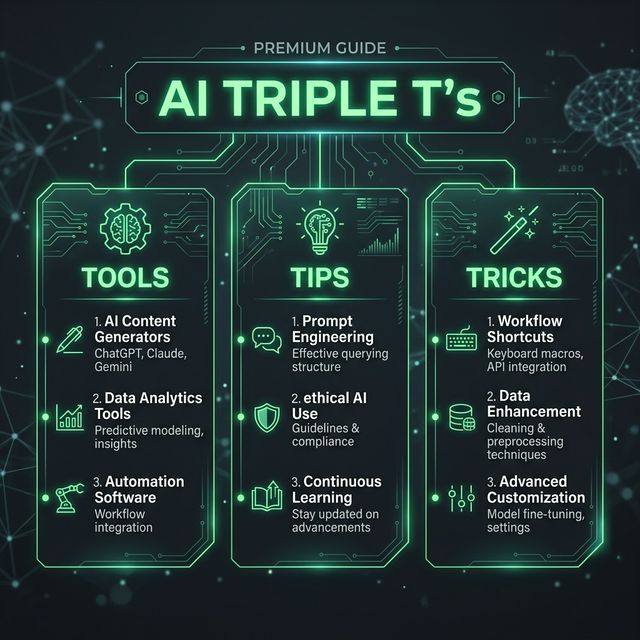
AI Triple T's: Mastering AI Programming and Auto-Coding Agents in 2026
The Shift from Assist to Autonomy
The AI coding tools market fragmented in 2025 and consolidated through early 2026. What started as "autocomplete on steroids" has evolved into full agentic coding — AI that plans, edits multi-file changes, runs tests, and opens pull requests autonomously.
The key insight?
Let's cut through the noise and focus on what actually works.
The 5 Tools Redefining Code Creation
1. Cursor — The AI-Native IDE
The Play:
Unique Value:
Price:
Best For: Developers working on complex, multi-file projects who want the deepest AI integration in a full IDE.
2. Claude Code — The Terminal-First Agent
The Play:
Unique Value:
Price:
Best For: Teams comfortable in the terminal, infrastructure-heavy projects, and developers who need to understand massive codebases.
3. GitHub Copilot — The Ecosystem Player
The Play:
Unique Value:
Price:
Best For: Teams already invested in GitHub, developers who need maximum IDE flexibility, and anyone with budget constraints.
4. Windsurf — The Underrated Alternative
The Play:
Unique Value: Cascade mode provides proactive, context-aware suggestions. The "preview" feature maintains active development servers, eliminating context-switching friction that other tools impose.
Price: Free tier with generous limits; paid plans start around $10/month.
Best For: Solo developers, startups, and anyone tired of switching between tools for completions vs. agents.
5. Tabnine — The Enterprise Safe Zone
The Play:
Unique Value:
Price: Licensing varies; enterprise deployments available.
Best For: Organizations with strict data security requirements, regulated industries, and teams needing self-hosted solutions.
3 Pro Tips That Actually Move the Needle
Pro Tip #1: Use the Right Tool for Each Task (Not One Tool for Everything)
How to apply it:
- Daily bug fixes and small features → GitHub Copilot or Windsurf (cost-effective, fast)
- Large refactors (50+ files) → Cursor Composer (multi-file coordination)
- Complex reasoning on massive codebases → Claude Code (1M token context)
- Terminal automation and scripts → Claude Code (runs natively in CLI)
Pro Tip #2: Prime the Agent with .cursorrules or System Context
How to apply it:
Create a .cursorrules file in your project root:
You are a backend engineer specializing in Node.js/TypeScript.
Always use async/await, never callbacks.
Follow the repository's naming convention: PascalCase for classes, camelCase for functions.
Default to using Prisma ORM for database queries.
Always write tests alongside features using Jest.
Agents that follow custom rules produce 40-60% fewer review cycles.
Pro Tip #3: Use Agents for Problem-Finding, Not Just Code-Writing
How to apply it: Before asking an agent to implement, ask it to:
- "Analyze this codebase and list the top 3 tech debt risks"
- "What patterns from this repo could apply to the new module?"
- "What does the error log tell us about where this will break?"
Agents excel at pattern recognition—leverage that before asking them to write.
2 Actionable Use Cases You Can Try Right Now
Use Case #1: Async Debugging Sprint (Terminal-First, Complex Codebase)
Scenario: You have a production bug in a 200-file Node.js monorepo. Debugging is non-trivial—the error spans microservices, database queries, and API calls.
The Workflow:
- Open Claude Code in your terminal:
claude-code init - Prompt: *"The production error log shows [error message]. Trace the flow from API endpoint → service layer → database. What's the root cause?"
- Claude reads your entire codebase, traces dependencies, and identifies the issue.
- Prompt: *"Fix this by [specific approach]. Write the changes and run the existing test suite."
- Claude modifies files, runs tests, and iterates until green.
Expected Outcome: What would take 2-3 hours of manual debugging takes 20-30 minutes. You review the final PR, merge, and ship.
Use Case #2: Feature Scaffolding (Multi-File Refactor, IDE-Based)
Scenario: You're adding authentication to an existing React + Node.js app. Multiple files need changes: auth service, middleware, database schema, frontend components.
The Workflow:
- Open Cursor (or Claude Code in VS Code)
- Select files that need changes (auth routes, user model, login component, dashboard guard)
- Prompt (in Composer mode): *"Add JWT authentication to this app. Use bcrypt for password hashing, add a /login endpoint, protect the /dashboard route, and update the user model to include password field."
- Cursor generates coordinated diffs across all selected files
- Review each change, accept/reject individually
- Run tests:
npm test(right in the IDE) - Commit with the generated message
Expected Outcome: A feature that would normally take 4-6 hours (scaffolding, wiring, testing, debugging) is done in 45-60 minutes. You handle the architecture decisions; the AI handles the implementation details.
The Future Is Collaborative, Not Replacement
The developers winning in 2026 aren't those trying to replace themselves with AI. They're the ones who:
- Understand which tool fits which task
- Prime agents with project-specific context
- Use agents for exploration and reasoning, not blind code generation
- Review autonomously generated code with the same rigor as peer-written code
Your move: Pick one tool this week. Build something real. Measure the time saved. Then decide if it layers into your workflow or becomes your primary tool. That's how you find your competitive edge.
Sources & References
[1] - Qodo.ai - Top 15 AI Coding Assistant Tools to Try in 2026 [2] - Faros.ai - Best AI Coding Agents for 2026: Real-World Developer Reviews [3] - Cloudelligent - Top 6 AI Coding Agents 2026 [4] - Playcode - Best AI Coding Agents 2026 [5] - Medium/Dave Patten - The State of AI Coding Agents (2026) [6] - Robylon - 12 Best AI Coding Agents in 2026 [7] - Replit - Best AI Coding Assistants 2026 [8] - Renovate QR - The Best AI Coding Tools for Developers in 2026 [9] - Toolradar - Best AI Coding Tools in 2026 [10] - Builder.io - Best AI Coding Tools for Developers in 2026 [11] - NxCode - Cursor vs Claude Code vs GitHub Copilot 2026: The Ultimate Comparison [12] - Artificial Analysis - Coding Agents Comparison [13] - Cosmic JS - Claude Code vs GitHub Copilot vs Cursor 2026 [14] - Render - Testing AI coding agents (2025) [15] - Abhishek Gautam - Cursor vs Claude Code vs GitHub Copilot Comparison April 2026