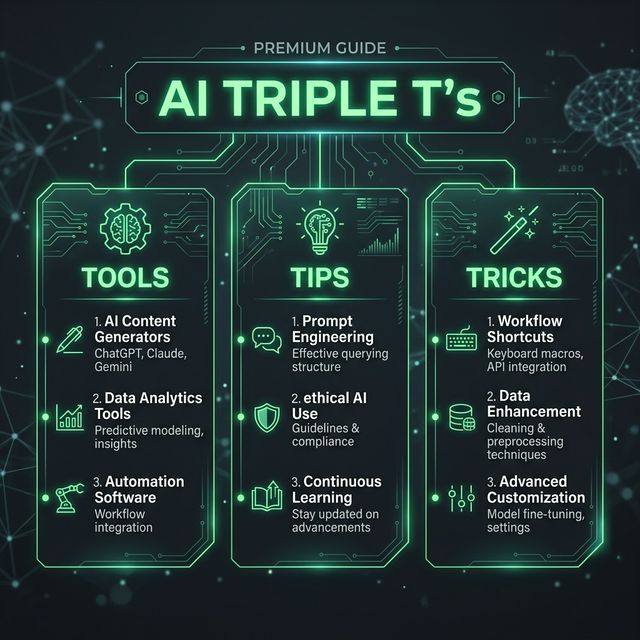
Triple T: AI for Automation and No-Code Workflows
The numbers are undeniable: AI-enabled workflows are set to grow eightfold, from 3% to 25% of enterprise processes by end-2025, and teams report up to 90% faster build cycles, shipping in weeks what used to take months. Yet most teams are still chasing automation wins manually.
This guide cuts through the noise and gives you real, production-ready workflows you can build today with zero code.
The Tools: 4 Essential Platforms
1. Zapier — The No-Code Generalist
What it does: Zapier is widely recognized for workflow automation, known for its library of app integrations and no-code automation. Users build automations called "Zaps" that trigger an action in one app when something happens in another.
Why it wins: Zapier uses "Zaps" to connect thousands of apps, and has expanded its AI capabilities through Zapier AI, a set of generative AI tools and GPT-powered actions that let teams build more context-aware flows. It's the entry point for most teams starting automation.
Reality check: Some users report limitations in the native automation platform, noting "I literally had to learn JavaScript because of the number of limitations" when handling complex cross-app workflows.
Best for: Marketing ops, lead routing, simple SaaS glue workflows.
2. Make (formerly Integromat) — The Complexity Master
What it does: Make is a visual workflow automation platform that lets users build complex, multi-branch automations using a canvas-based interface. It has stronger support for complex workflows involving conditional logic, data transformation, and iterative processing.
Why it wins: Make pricing is very reasonable and scales with you as your needs grow. Even though it has more of a learning curve than Zapier, it's worth checking out if your needs are complex. Make.com's visual scenario builder excels at complex journey mapping with multiple branching paths based on customer behavior.
Real strength: n8n dominates programmatic SEO use cases, but Make.com provides solid pSEO capabilities with visual workflow design for high-volume content automation.
Best for: Multi-step workflows, product launch coordination, complex data transformations.
3. Airtable (+ Zapier) — The Data-Centric Hybrid
What it does: Airtable Automations provides built-in workflow capabilities within Airtable's database platform—perfect for teams already using Airtable who want automation without learning a new tool.
Why it wins: Airtable lets teams create dashboards, portals, and internal tools, while Make focuses primarily on backend automation. Unlike Make's workflow-first approach, Airtable blends structured data management with lightweight automation in one workspace. AI agents can run hundreds of processes in the background—analyzing documents, enriching records, generating assets, routing approvals, and updating data in real-time without human prompting.
The caveat: Airtable isn't built for the kind of heavyweight automation you'd find in a dedicated orchestration platform. If you need complex branching logic, looping workflows, or AI agents weaving tools together across your stack, you'll probably hit a ceiling.
Pro move: Many enterprises use both apps together: Airtable for data management and Zapier for cross-platform automation. If you're hitting Airtable's 50-automation limit or you need to integrate apps that aren't in Airtable's native integration list, Zapier is a powerful addition.
Best for: Ops teams managing multiple data sources, internal tools, customer portals.
4. n8n — The Developer's Choice
What it does: n8n is a leading open-source automation platform with a fair-code license and robust self-hosting options. n8n is actually used by some pretty big companies like Vodafone, Zendesk, Wayfair, and Paddle. What makes n8n different is that it is a bit more complex to use and it's designed more for technical people.
Why it wins: n8n released AI Workflow Builder, turning your natural language prompts into working automations. Instead of launching into building a new workflow from scratch with a blank canvas, you can easily get your automation ideas out of your head and into a functioning workflow in minutes.
The advantage: Self-hosting means unlimited workflows, no token-based pricing on data processing. Perfect for high-volume content ops or programmatic SEO.
Best for: Technical teams, self-hosted deployments, unlimited-scale automation.
The Pro Tips: Actionable Tricks for Real Impact
Pro Tip #1: The Confidence Threshold (Not 100% Automation)
Don't automate everything. Set up workflows where AI only acts automatically when it's very confident. If AI is 95% sure an email is spam, auto-delete it. If it's only 70% sure an expense report is valid, send it to a human for review. You get speed for obvious cases and human judgment for tricky ones.
Why this matters: Monitor your AI workflow automation tool experiments. AI still needs human supervision and intervention, so don't just let it run wild.
Playbook:
- Set confidence thresholds (e.g., 90%+ = auto-approve, 70-89% = flag for review, <70% = escalate).
- Use error handlers to catch edge cases before they break production.
- Review exceptions weekly to refine rules.
Pro Tip #2: Start Small, Chain Workflows (Don't Build Monsters)
You build a single workflow that handles 15 different scenarios with nested conditions. When it breaks, nobody can figure out why or how to fix it. Prevention: Keep workflows simple and single-purpose. One workflow should do one thing well. If you need complexity, chain simple workflows together. Document what each workflow does in plain English.
Why this works: Debugging is easier. Maintenance is human-readable. Your team won't hate you.
Playbook:
- Break one big workflow into 3-5 smaller ones.
- Use error handlers to link them together.
- Each workflow name = one action (e.g., "Extract LinkedIn leads," "Enrich with company data," "Send to CRM").
Pro Tip #3: Watch Your Token Spend (Or Your Bill Will Explode)
Your OpenAI bill jumps from $20 to $500 because you're using GPT-4 for simple tasks that GPT-3.5 could handle. You're calling expensive AI analysis for routine data processing. Prevention: Use the cheapest tool that works. Simple text classification (urgent/not urgent) doesn't need GPT-4. Set spending alerts at $50, $100, and $200. Review API usage monthly and optimize expensive operations.
Real scenario: A marketing ops team ran a lead enrichment workflow with GPT-4. Switched to GPT-3.5 for simple classification, kept GPT-4 for only high-value decisions. Saved 78% in LLM costs.
Playbook:
- Use GPT-3.5 Turbo for classification, summarization, simple routing.
- Reserve GPT-4 for nuanced analysis where accuracy matters.
- Add cost logging to every AI step.
The Tricks: Two Use Cases You Can Build Right Now
Use Case #1: AI-Powered Lead Routing (Zapier + OpenAI)
The problem: Your sales team is drowning in leads. Some are qualified. Some aren't. Everyone's inbox is chaos.
The solution: Use Zapier's Paths feature for conditional routing, leverage Formatter for data cleaning, and implement error notifications for critical workflows.
Build it in 15 minutes:
- Trigger: New lead submission in your form tool (Typeform, HubSpot form, etc.).
- Action 1: Send lead data to OpenAI (via Zapier's AI action).
- Prompt: "Score this lead from 1-10 based on company size, industry, and fit. Also tag: (High/Medium/Low)."
- Action 2: Route to different Slack channels:
- High-value → #sales-vip
- Medium → #sales-backlog
- Low → #sales-nurture (for nurture sequences)
- Action 3: Create CRM record (HubSpot/Salesforce) with AI-generated notes.
Expected outcome: Salespeople spend zero time triaging. Instant routing. Zero manual data entry.
Simple math for calculating return: (Time Saved × Hourly Rate × Frequency) - (Platform Costs + Setup Time).
Use Case #2: Email Inbox to Slack + Summaries (Make + Claude)
The problem: Critical customer emails buried in inboxes. Team misses urgent issues. No visibility.
The solution: Automatically route customer questions into your #customersupport Slack channel with AI-generated summaries and priority flags. Within 30 seconds, your team sees a Slack message: "⚠️ URGENT: Sarah Chen (Premium customer) - billing error blocking access, needs immediate help." Your team can respond instantly instead of digging through email.
Build it in 20 minutes:
- Trigger: New email arrives in support@yourcompany.com.
- Action 1: Extract email body + sender + subject.
- Action 2: Call Claude API (via Make) to:
- Summarize in 1 sentence.
- Flag urgency (Low/Medium/High/Critical).
- Extract action items.
- Action 3: Post to Slack with emoji (🟢 Low, 🟡 Medium, 🔴 High, 🚨 Critical).
- Action 4: Create task in your project tool (Asana, Trello, Linear).
Expected outcome: Zapier connects apps like Gmail, Slack, and Trello to build a fully automated workflow. Create "Zaps" that sync data between these apps and set up automatic trigger-action workflows. If you get a customer inquiry on Instagram, Zapier can automatically make a new task in Trello and send a Slack notification to the team so they don't miss any requests.
Zero email missed. Full visibility. Faster response times.
Getting Started: The Framework
Pro tip: Start with processes that have clear inputs and outputs—they're easier to automate and measure. Start with one or two workflows instead of attempting enterprise-wide automation. Choose processes simple enough for quick wins but impactful enough to prove value.
Begin your AI implementation efforts by trying to automate a small, non-critical workflow. Start small, just run the experiment.
Step-by-step:
- Pick one repetitive task (lead intake, data entry, report generation).
- Map the current process: What triggers it? What steps happen? Who needs output?
- Choose your tool (Zapier for simple, Make for complex, Airtable for data-centric).
- Build and test with dummy data.
- Measure: Time saved, errors prevented, speed gained.
- Roll out to team.
- Monitor and refine.
The Bottom Line
The no-code AI market is growing at 31–38% CAGR and expected to hit ~$25B by 2030, making them one of the fastest-rising segments in enterprise tech. This isn't hype. It's infrastructure.
The teams winning in 2026 aren't waiting for perfect. They're shipping small, measurable automation wins every week. You can too.
Start with one of the tools above. Pick one of the two use cases. Build it. Measure it. Share the win with your team.
That's the triple T playbook: right Tools, proven Tips, and actionable Tricks.
Now go automate something.
Sources & References
[[1]] https://vellum.ai/blog/no-code-ai-workflow-automation-tools-guide (Vellum: Top 11 No Code AI Workflow Automation Tools in 2026)
[[2]] https://www.vellum.ai/blog/top-low-code-ai-workflow-automation-tools (Vellum: Top 10 Low-Code AI Workflow Automation Tools 2026)
[[3]] https://www.gumloop.com/blog/best-ai-workflow-automation-tools (Gumloop: 10 Best AI Workflow Automation Tools in 2026)
[[4]] https://www.domo.com/learn/article/ai-workflow-platforms (Domo: 10 Best AI Workflow Automation Tools in 2026)
[[5]] https://slack.com/blog/productivity/9-best-ai-automation-tools-to-automate-tasks-and-streamline-workflows (Slack: 11 Best AI Workflow Automation Tools for 2026)
[[6]] https://parabola.io/the-11-best-ai-automation-tools-in-2025 (Parabola: The 11 Best AI Automation Tools in 2025)
[[7]] https://www.weweb.io/blog/no-code-automation-guide-tools-workflows-ai (WeWeb: No Code Automation 2026 Guide)
[[8]] https://noloco.io/blog/best-workflow-automation-tools (Noloco: Best Workflow Automation Tools for 2026)
[[9]] https://zapier.com/blog/make-alternatives/ (Zapier: The Best Make Alternatives in 2026)
[[10]] https://zapier.com/ (Zapier Official)
[[11]] https://zapier.com/blog/airtable-automations/ (Zapier: 9 Airtable Automation Ideas)
[[12]] https://www.airtable.com/articles/ai-workflow-automation-tools (Airtable: 15 Best AI Workflow Automation Tools for 2026)
[[13]] https://zapier.com/blog/zapier-vs-airtable/ (Zapier: Zapier vs Airtable 2026)
[[14]] https://www.fillout.com/blog/zapier-vs-make-vs-airtable-automations (Fillout: Zapier vs Make vs Airtable Automations)
[[15]] https://genesysgrowth.com/blog/zapier-ai-vs-make-com-ai-vs-n8n-ai (Genesys Growth: Zapier AI vs Make.com AI vs n8n AI 2026)
[[16]] https://noloco.io/blog/how-to-automate-your-business-operations-with-airtable-and-zapier (Noloco: Automate Business Operations with Airtable and Zapier)
[[17]] https://otter.ai/blog/ai-workflow-automation (Otter.ai: AI Workflow Automation Examples and Best Practices)
[[18]] https://thedigitalprojectmanager.com/productivity/ai-workflow/ (The Digital Project Manager: AI Workflow Automation Best Practices)
[[19]] https://blog.box.com/ai-workflow-automation (Box: A Guide to AI Workflow Automation)
[[20]] https://www.virtasant.com/ai-today/a-step-by-step-guide-to-ai-in-workflow-automation (Virtasant: A Step-by-Step Guide to AI in Workflow Automation)
[[21]] https://blog.superhuman.com/ai-workflow-automation/ (Superhuman: AI Workflow Automation From Start to Scale)
[[22]] https://www.wrike.com/workflow-guide/ai-workflow-automation/ (Wrike: AI Workflow Automation Guide)
[[23]] https://blog.n8n.io/ai-workflow-builder-best-practices/ (n8n: AI Workflow Builder Best Practices)
[[24]] https://www.freshworks.com/itsm/workflow-automation/ai/ (Freshworks: AI Workflow Automation Processes, Tools, Best Practices)
[[25]] https://www.atlassian.com/agile/project-management/ai-workflow-automation (Atlassian: What is AI Workflow Automation)
[[26]] https://www.getguru.com/reference/ai-workflow-automation (Guru: AI Workflow Automation Comprehensive Guide)