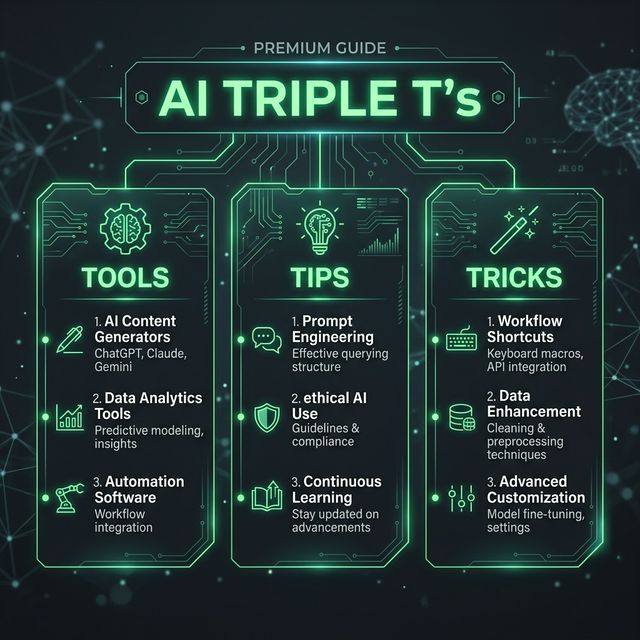
AI Triple T's: Master Claude, ChatGPT & Perplexity in 2026
In March 2026, ChatGPT remains the most widely used AI product in the world, generating nearly 2.7x more traffic than Gemini on the web. But raw popularity masks a more important truth: the three most powerful tools aren't necessarily the newest—they're the ones you've learned to configure properly.
Anthropic's Claude Code has risen to dominate tooling usage among engineers, while 75% of global knowledge workers now use generative AI. Yet most users open Claude, type a basic request as they might into a search engine, get an acceptable answer, and disconnect—though that's sufficient because Claude provides fine answers at that level of usage.
That's like buying an espresso machine and only making instant coffee.
Here's what separates the 1% from everyone else.
TOOLS: The Unstoppable Trinity
1. Claude (Anthropic)
Claude 4.6 Opus remains at the top with a 1M context window (beta), the first for Opus-class models, with 128K output enabling complex long-form tasks.
Best for:
- Deep reasoning and long-form writing, especially when work requires more nuanced prompts
- Coding, where Claude Code is a terminal-native agent that reads project files, runs test suites, manages git branches, and edits code in place
- Complex document analysis (research papers, codebases, whitepapers)
2. ChatGPT (OpenAI)
ChatGPT reached 700 million weekly active users by July 2025, representing approximately 10% of the world's adult population.
Best for:
- Advanced Voice Mode with natural, real-time voice conversations and near-unlimited use for Plus subscribers
- Web browsing with seamless internet access powered by Bing integration, allowing real-time information access
- Image generation and Code Interpreter's file processing capabilities, which are unmatched for data analysis and visualization
3. Perplexity
Perplexity is the best research assistant LLM on the market, like Google but with better citations, an AI-first search engine that replaces Google with direct answers pulled from the web.
Best for:
- Research bottlenecks, delivering cited answers from an average of 42 sources within minutes
- Smart AI search assistance that shows sources, keeps things concise, like a research partner who shows you the right links in plain English
- Real-time information verification (AI regulation updates, industry trends, current statistics)
TIPS: How Power Users Actually Configure These Tools
Claude: The Memory & Skills System
Tip #1: Enable Chat Memory (Everyone Misses This) Claude now provides all users with full memory capacity (including free users). Chat Memory enables Claude to automatically catalog preferences, context, and facts during conversations and utilize those records in future conversations.
Action: Go to Settings → Memory. Add:
- Your communication style ("I prefer bullet points, not paragraphs")
- Your industry context ("We're a B2B SaaS company, our audience is CTOs")
- Brand guidelines if applicable
Clause automatically learns. You never repeat yourself.
Tip #2: Master Claude Skills (The Cheat Code) Claude Skills are powerful when you have repeatable workflows. Instead of re-explaining your preferences and processes in every conversation, skills let you teach Claude once and benefit every time.
Real example: Create a "Brand Guidelines" skill that includes your company's design colors, tone, messaging. With this skill, you can generate slides that copy brand guidelines in one shot (colors, design, etc).
Action: Build 2-3 core skills for your workflow. Examples:
- Marketing copy (tone, audience, target keywords)
- Code style guide (language preferences, testing standards)
- Writing template (format, length, structure)
Tip #3: Use Claude Code for Autonomous Execution Claude Code is a command-line tool where Claude doesn't just answer—it executes.
What this means:
- Claude Code is an agent that takes actions on your behalf. It can browse the web, connect to services like Google Drive or Slack, search databases, and run multiple tasks simultaneously. Anything you can do from your computer's command line, it can do too.
Action step: If you're not technical, use Claude Cowork, a simplified version of Claude Code built for non-technical people afraid of working with the terminal. While ChatGPT requires you to be the middleman gathering and uploading context, Claude Cowork does it itself by pointing at a folder on your machine.
ChatGPT: The Multimodal Workhorse
Tip #4: Use Memory Imports (Immediate Momentum) You can import your memory from ChatGPT, Gemini, and Grok directly into Claude at Settings → Capabilities → Memory Import. If you've built up months of preferences in another AI, you don't have to start over.
Reverse this too: Export your Claude preferences into ChatGPT for seamless context switching.
Tip #5: Leverage Code Interpreter for Data Visualization Code Interpreter is unmatched for processing data, creating visualizations, and iterating on analysis without leaving the chat.
Use case: Upload a CSV, ask ChatGPT to "Find trends in this data and visualize the top 3 insights." Output: Charts, analysis, and updated data—without touching Python.
Tip #6: Stack Voice Mode + Web Browsing Advanced Voice Mode enables natural, real-time voice conversations with emotional expressiveness and near-unlimited use for Plus subscribers.
Workflow:
- Use Voice Mode for brainstorming (output: transcription)
- Ask ChatGPT to search the web for supporting data
- Combine insights into a structured output
No typing required. Ideas → Validated insights in minutes.
Perplexity: The Research Accelerator
Tip #7: Use Deep Research for Complex Topics Perplexity's Deep Research takes around 10-15 minutes to give complete results, but it's totally worth it.
Real scenario: You need to understand AI regulation changes in 3 EU countries. Instead of piecing together 15 sources:
- Input: "Compare AI regulation timelines in Germany, France, and Italy for 2026"
- Output: Structured comparison, all sources cited, actionable differences
Tip #8: Follow Up Intelligently (The Underrated Feature) What's underrated about Perplexity is how good it is at follow-up. You can ask something like "How does Claude compare to GPT-4o?" and then follow up with "What about for coding?" — it'll keep the thread going intelligently. It's not a "do-anything" tool like ChatGPT or Claude, but it's one of the most efficient tools for research and reading-heavy workflows.
This works because: Perplexity maintains context across your entire conversation. Unlike Google (which resets with each new query), Perplexity builds on previous research.
Tip #9: Switch Models Mid-Research One of the main benefits of Perplexity is that it gives you access to multiple LLMs in one place, so you can switch models depending on what you're trying to do.
TRICKS: Workflows That Save 5+ Hours Per Week
Trick #1: The Claude "Projects" Architecture for Repeatable Work
Projects are files you upload and retain, which provide structural materials Claude accesses when performing a task. They're a form of active memory and should not be reset.
Setup (30 minutes, one-time):
Create a CLAUDE.md file with your project rules:
- Code style (language, testing framework, naming conventions)
- Writing standards (length, tone, structure)
- Decision history ("We chose PostgreSQL over MongoDB for X reasons")
Upload relevant context:
- Brand guidelines (PDF)
- Codebase architecture (markdown document)
- Past decisions/docs
Point Claude at your project every time you start work.
Result: Setup needed to configure user preferences, establish 2-3 Projects with relevant instructions/documents, and build custom writing style can be completed within 30 mins. Once setup is complete, all subsequent conversations will be at much higher quality than previous ones. Setup only needs to happen once, and once completed, you receive unlimited benefit while using Claude.
Trick #2: The Prompt Quality Multiplier
Prompt quality is the single biggest variable in Claude's output quality. Every high-quality prompt has most of five key elements. For complex tasks, combining all five elements will do wonders.
The 5 elements:
- Context: "You're writing for a technical audience of 5+ years experience"
- Task: "Summarize this paper in 3 key insights"
- Constraints: "Under 200 words, no jargon"
- Format: "Bullet points with brief explanation"
- Examples: "Here's a good summary we did previously"
Action: Copy this template:
Context: [Industry, audience, goal]
Task: [Specific what]
Constraints: [Length, tone, format]
Format: [Markdown, bullets, table]
Example: [Show 1 good output]
Use this for 3 prompts. You'll never write vague prompts again.
Trick #3: The "LLM Council" Approach (Multiple Models = Better Answers)
Different LLMs have different strengths. Instead of picking one, an LLM Council approach combines them. Use it for important decisions, strategy, complex writing, technical comparisons. One model gives you one brain; a council gives you a debate and a synthesis.
Setup:
- Ask Claude the question → Get answer
- Ask ChatGPT the same question → Get answer
- Ask Perplexity (with sources) → Get research-backed answer
- Synthesize the three perspectives
When to use: Major decisions, strategy shifts, "should we use X or Y" questions.
Trick #4: Voice Input + Text Output (Speed Hack)
Most people type around 40 words per minute. Most people speak around 120–140 words per minute. So typing is the bottleneck. Wisprflow lets users write with voice across devices and understands meaning, not just words.
Workflow:
- Dictate your thoughts/research/rough ideas
- Paste into Claude with: "Clean this up, structure it, expand section 2"
- Export polished output
Time saving: 60-minute writing project → 20 minutes.
Trick #5: The Automation Stack (For Teams)
Zapier connects thousands of apps through automated workflows called Zaps. The platform offers AI-powered features including Copilot for building automations. When something happens in one app, Zapier triggers actions in others, no coding required. The AI Copilot helps build automations through conversation rather than clicking through configuration screens.
Simple example:
- Customer fills form → ChatGPT summarizes response → Slack notification → Notion database update
- No manual data entry. One configuration. Infinite repeats.
Where it lives: Between your tools, silently saving hours.
Quick Reference: Which Tool for Which Task
| Task | Tool | Why |
|---|---|---|
| Deep research with sources | Perplexity | Built for citation + verification |
| Coding projects | Claude Code | Reads files, runs code, manages git |
| Long-form writing | Claude | Instruction-following + nuance |
| Data visualization | ChatGPT | Code Interpreter unmatched |
| Brand voice consistency | Claude Skills | Repeatable, automated |
| Real-time info (news, data) | ChatGPT + web | Bing integration for current info |
| Voicework (hands-free) | ChatGPT Voice Mode | Natural conversation |
| Complex analysis | Claude with Projects | 1M context window |
The Real Leverage Point: Configuration Over Tool Choice
Most people are paying for five tools when one agent could do the job. The gap between AI tools that help you work and AI agents that do work has widened dramatically.
The difference between frustrated AI users and power users isn't luck. The gap between casual Claude users and power users comes down to setup time. The time needed to configure user preferences, establish 2-3 Projects with relevant instructions/documents, and build a custom writing style can be completed within 30 mins. Once complete, all subsequent conversations will be at much higher quality.
This week: Pick one tool. Spend 30 minutes configuring it properly (memory, Projects, or system prompts). Use it hard for a week.
You'll never see it the same way again.
Sources & References
- https://medium.com/artificial-corner/the-best-ai-tools-for-2026-933535a44f8b
- https://datanorth.ai/blog/top-10-ai-tools-for-2026
- https://newsletter.pragmaticengineer.com/p/ai-tooling-2026
- https://blog.logrocket.com/ai-dev-tool-power-rankings/
- https://www.analyticsvidhya.com/blog/2026/03/top-ai-tools-to-use/
- https://www.synthesia.io/post/ai-tools
- https://www.hostinger.com/tutorials/most-popular-ai-tools-2026
- https://ucstrategies.com/news/the-100-most-used-ai-tools-in-2026-reveal-a-power-shift-big-tech-didnt-see-coming/
- https://zapier.com/blog/best-ai-productivity-tools/
- https://lovable.dev/guides/best-ai-productivity-tools-2026
- https://plusai.com/blog/best-ai-productivity-tools
- https://www.craftnoteapp.com/blog/best-ai-productivity-tools-2026
- https://manus.im/blog/best-ai-productivity-tools
- https://getalai.com/blog/best-ai-productivity-tools
- https://www.lindy.ai/blog/ai-platforms
- https://artificialcorner.com/p/claude-levels
- https://aadhunik.ai/blog/best-claude-tips-and-tricks/
- https://sureprompts.com/blog/how-to-use-claude
- https://www.nxcode.io/resources/news/claude-vs-chatgpt-2026-which-ai-to-use
- https://github.com/ykdojo/claude-code-tips
- https://www.tomsguide.com/ai/stop-using-claude-like-chatgpt-10-prompts-that-unlock-its-real-potential
- https://evakeiffenheim.substack.com/p/a-clear-guide-to-claude-code-for
- https://sureprompts.com/blog/chatgpt-vs-claude-2026
- https://code.claude.com/docs/en/best-practices